
Included on Free
- Record cash and card tips
- Save start time, end time, breaks, and calculated hours
- Add notes and mark days off
- Organize entries under one active job
- Keep and access every historical entry
Daily tip tracking
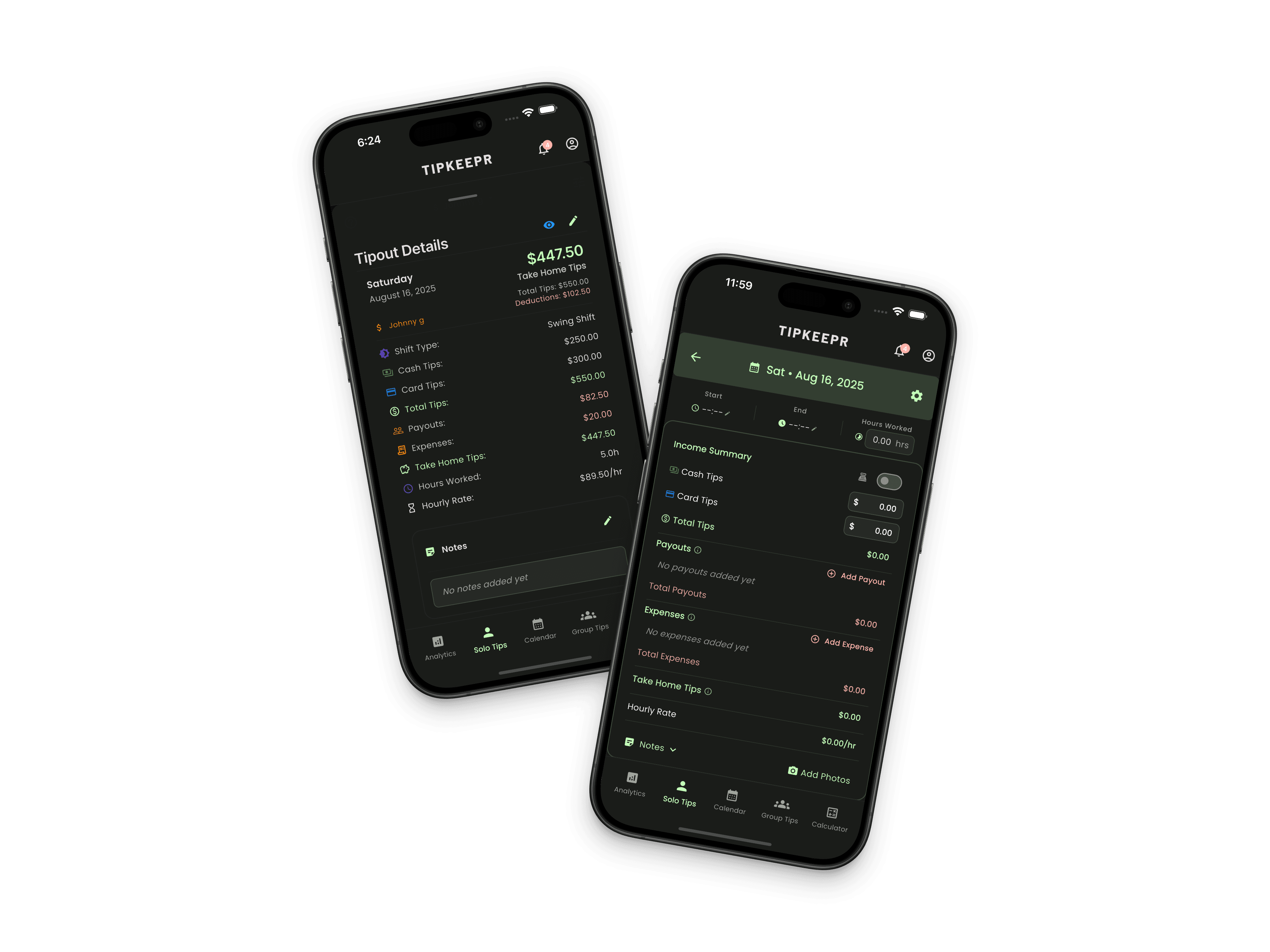
A shift can include cash, card tips, changing hours, tip-outs, and details you will not remember at tax time. TipKeepr gives servers, bartenders, baristas, and other tipped professionals one mobile record for the workday.
For service professionals who want a dependable record of what they earned and when they worked—without starting with a spreadsheet or a paid subscription.
Free is a permanent working plan. Premium adds the tools listed here for $5.39/month or $53.90/year in the US.
Included on Free
Premium adds
TipKeepr separates cash and card tips instead of asking for only one total. Pair those amounts with your worked time and notes, and your calendar becomes a useful record of both income and context.
How it works
Open the workday from the calendar and select the job connected to the shift.
Record cash, card tips, start and end times, breaks, and any note you will want later.
Return to the calendar or analytics to compare the shift with previous weeks and goals.
Cash in hand and card tips that arrive through payroll are not always interchangeable. Recording them separately makes the daily total clearer and gives the analytics page a real cash-versus-card distribution.
The Free plan includes both fields. Premium adds more categories around the shift—such as payouts, tip-outs, expenses, and sales-related details—when a simple gross tip total is no longer enough.
TipKeepr Free retains and exposes all historical data. You can move through older analytics week by week and open prior dates from the calendar. Premium adds broader monthly, quarterly, yearly, and custom analytics views; it does not unlock data that Free deleted.
Free supports one active job profile, which covers the common case of tracking a primary restaurant, bar, or venue. Premium supports multiple jobs so shifts, colors, wage settings, and records can stay organized when you work at more than one place.
Yes. Cash and card tips are separate fields in the core Free shift entry.
Free supports one active job. Premium unlocks multiple active job profiles.
All historical data remains accessible on Free and Premium. Free analytics are reviewed week by week.
Compare your options