
Daily Tracking
How to record cash tips, card tips, and shift hours
A complete shift entry separates the amounts you earned from the time and job connected to them. The essential fields are available on Free.
5 min read
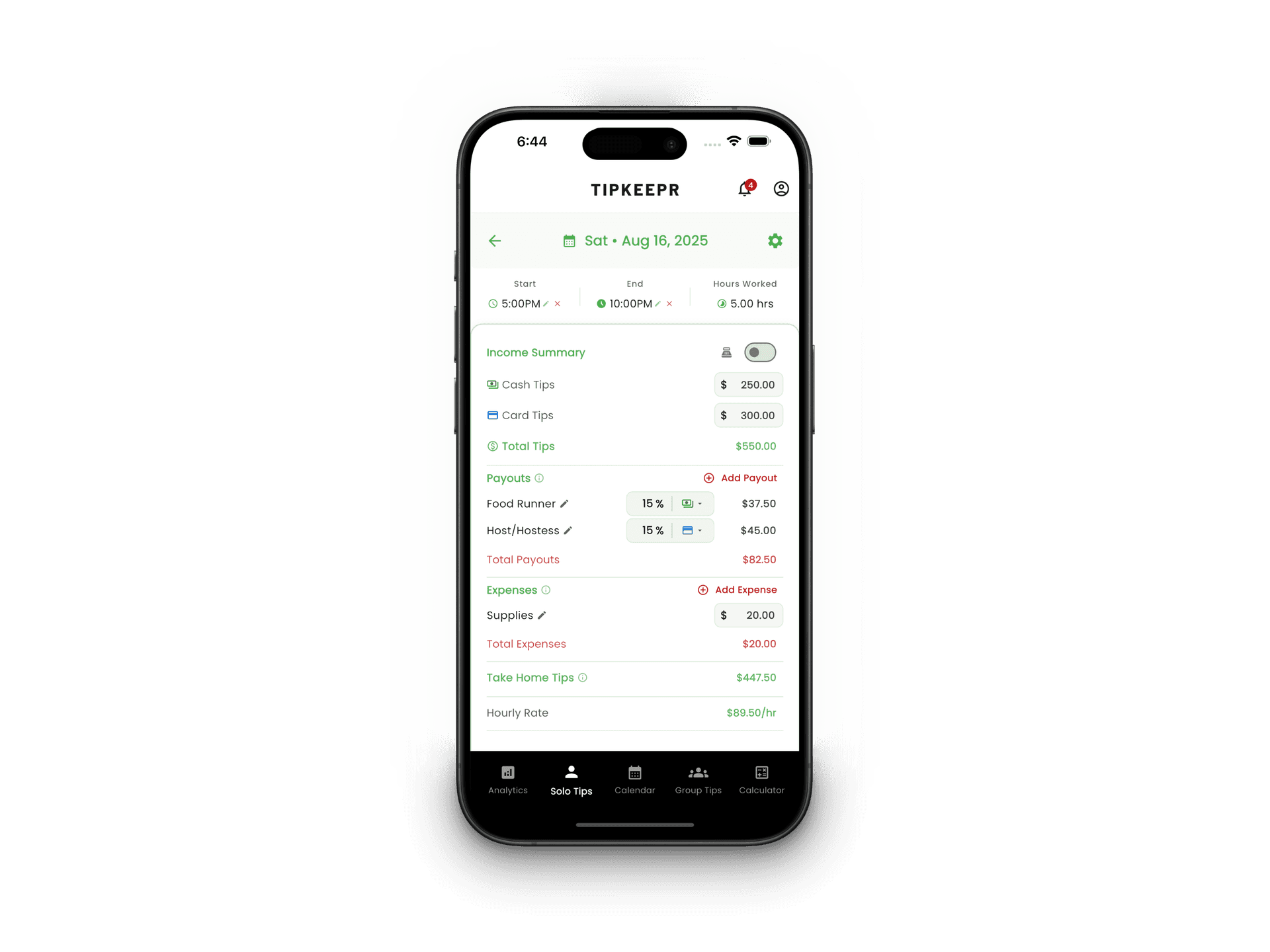
Step by step
- 1
Choose the date
Open the date from the calendar or use the add action for the selected day.
- 2
Select the job
Confirm which active job should own the entry. Free supports one active job and Premium supports multiple.
- 3
Enter tips and time
Record cash tips and card tips separately, then add the start time, end time, and break details.
- 4
Add context and save
Use notes for details you may want later. Review the calculated values before saving.
Core fields versus Premium details
Cash tips, card tips, hours, breaks, and notes are part of the Free daily workflow. Premium adds entry photos, payouts or tip-outs, expenses, and reusable entry templates.
Editing an existing entry
Open the saved date from the calendar, select the shift entry, and use the available edit action. Recheck the totals after changing tips or worked time so the saved record still matches the shift.
A consistent routine is more useful than a perfect memory
Recording the shift soon after clock-out reduces the amount you have to reconstruct later. Notes can capture unusual events or corrections without turning the core tip fields into estimates.